| Everything you already rely on |
| Project scheduling |
Task management, milestones, dependencies, baselines, and Gantt charts. |
Full project scheduling with Gantt, milestones, dependencies, and baselines, plus timeline views that roll up across the portfolio. |
| Governance and approvals |
Stage-gate workflows, project lifecycle management, and approval processes via SharePoint. |
Configurable governance workflows, stage gates, and approval chains with audit trails, and no SharePoint dependency. |
| Custom forms and fields |
Enterprise custom fields and project detail pages for structured data capture. |
Fully customizable forms, fields, and views that can be configured per portfolio, program, or project type. |
| Resource management |
Resource assignments, availability tracking, and role-based allocation at project level. |
Resource and role-based planning with cross-portfolio capacity visibility and team-level autonomy. |
| Portfolio views |
Portfolio dashboards assembled from project data and enterprise custom fields. |
Native portfolio views, roadmaps, and prioritization built directly on portfolio-level data, with no assembly required. |
| Budget tracking |
Project-level cost tracking with budget baselines and variance reporting. |
Project and portfolio-level budgets with cost tracking, forecasting, and baseline comparisons. |
| What Kiplot adds beyond Project Online |
| Scenario modeling |
Not available. Portfolio what-if analysis required external tools or spreadsheets. |
Built-in scenario modeling to compare investment options, test funding trade-offs, and assess capacity impact before committing. |
| Advanced financials |
Single-currency project cost fields. Multi-currency, capitalization, and ERP reconciliation handled externally. |
Multi-currency support, CapEx and OpEx classification, and direct ERP integration for real-time financial reconciliation. |
| Jira and Azure DevOps integration |
No native integration. Connecting agile delivery tools required third-party connectors or custom development. |
Out-of-the-box integration with Jira and Azure DevOps, so delivery progress flows into portfolio views automatically. |
| Time tracking |
Basic timesheets available but rarely adopted. Most organizations used workarounds or external tools. |
Native time tracking with approval workflows, integrated into capacity planning and financial reporting. |
| Enterprise reporting |
OData feeds requiring Power BI or SSRS for meaningful reporting. Significant configuration effort. |
Out-of-the-box enterprise reporting with role-based dashboards for executives, finance, PMO, and delivery teams. |
| Agile and hybrid delivery |
Waterfall-oriented. Agile boards introduced in later versions but limited in enterprise portfolio context. |
Delivery-method agnostic. Teams choose waterfall, agile, or hybrid, all governed within the same portfolio framework. |
| Outcome tracking |
Benefits tracking not natively supported. Typically managed in spreadsheets post-delivery. |
Continuous outcome and benefits tracking connected to delivery, with visibility from initiative through to strategic objective. |

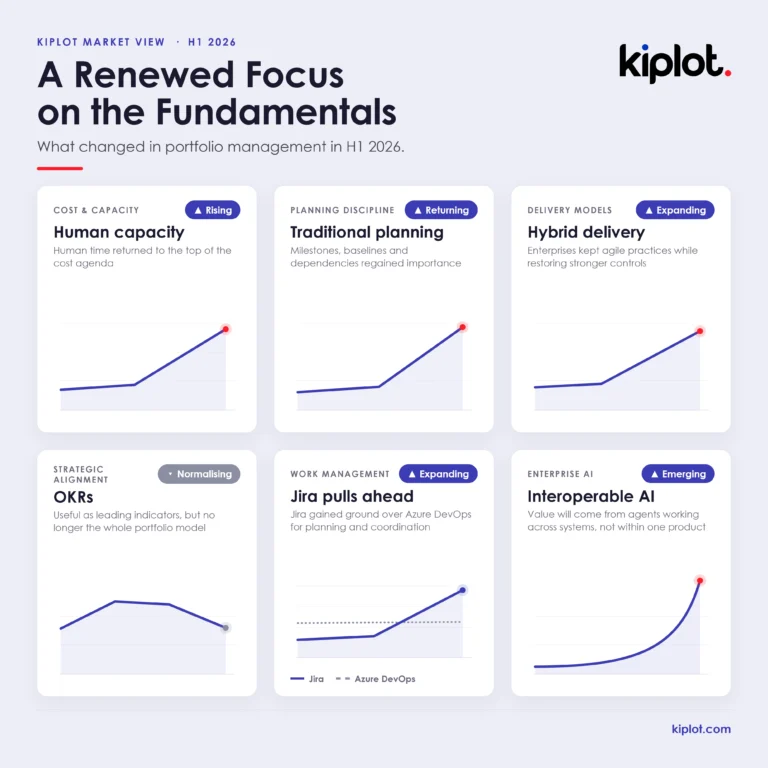 InsightsEnterprise Portfolio Management Trends: 2026 So FarAI dominated the conversation around enterprise portfolio management in the first half of 2026. But beneath the agentic fanfare, self-driving portfolios, synthetic PMOs, copilot-everything and the apparently imminent extinction of…
 AIFrom Plausible Risk Logs to Portfolio Assurance. What we learned building AI risk review for SPM teamsSPM teams don't need another way to fill a risk log. They need a better way to decide which risks deserve attention. What we learned building AI risk review.
 AIAgentic Project Management: How AI agents are changing portfolio delivery without removing human accountabilityMost AI in portfolio management is still reactive: it answers when asked. Agentic Project Management is what acting on its own looks like, and what that shift means for cost per benefit dollar.
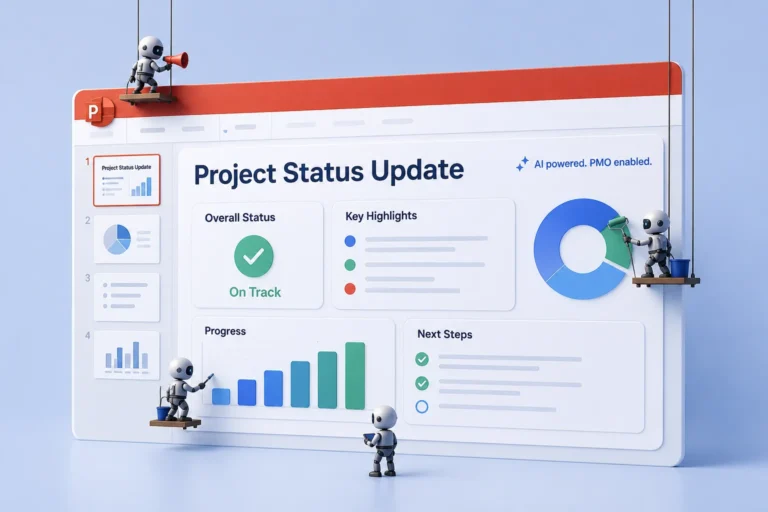 AIAI for the PMO: 8 Use Cases Transforming Portfolio ManagementAs portfolios scale, the PMO's administrative load expands with them. Eight use cases where AI shifts capacity from maintaining visibility to interpreting it.
 knowledgeArchitecting Jira for large organizationsJira's flexibility is also its risk. At scale, it tips into chaos without deliberate structure. How to architect Jira for consistency and data quality without crushing agility.



 Project Online
 Kiplot